
Minecraft Server Setup
Perform these steps in Minecraft:-
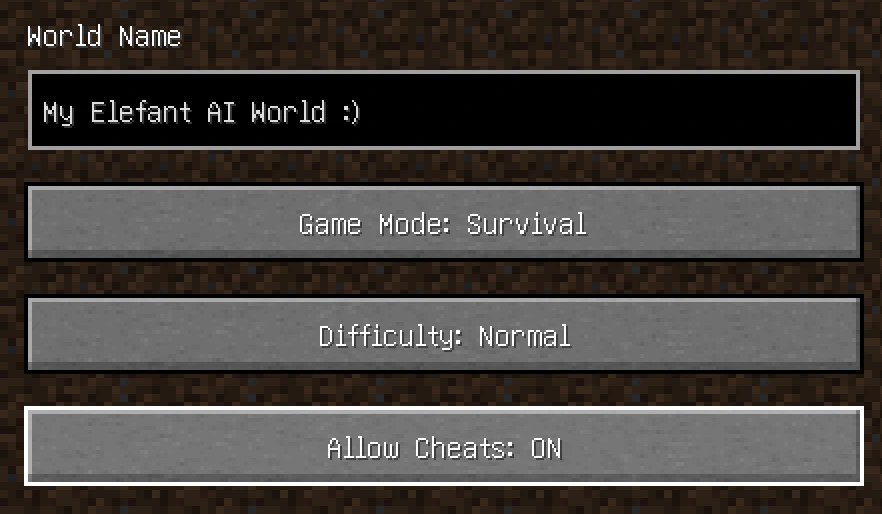
Enable cheats. When creating your Singleplayer server, find the
Allow Cheats: ON/OFFtoggle and set them toON.- Cheats are required for some actions the Bot takes, e.g. teleporting to you if you are in need!
- Note: If you have already made a world, skip this step. We’ll describe an alternative way to enable cheats below.
-
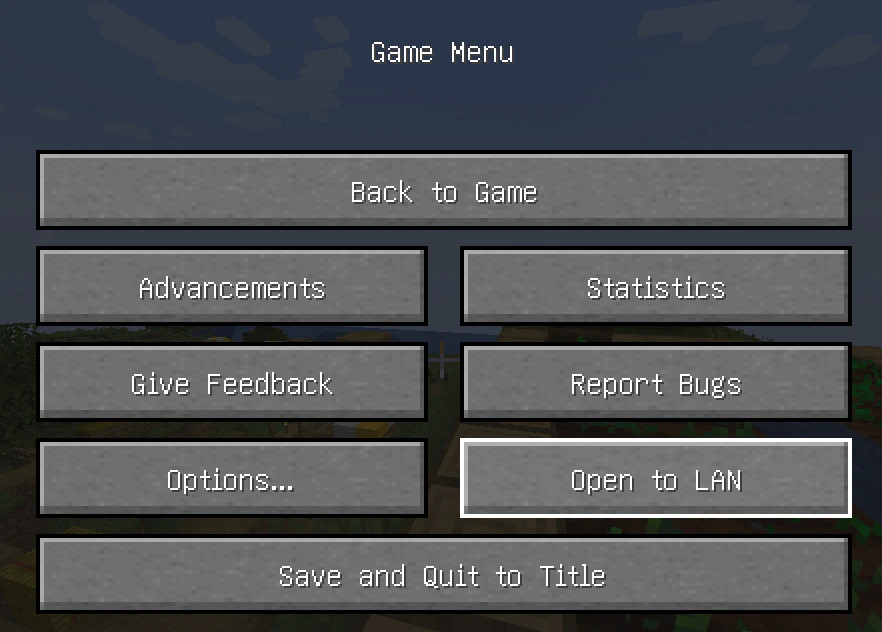
Open to LAN. When in the server, press
Escto access theGame Menu. ClickOpen to LAN.- Don’t worry - nothing sus is happening here :) We just need a way to (safely) send the Bot to your server.
- Don’t worry - nothing sus is happening here :) We just need a way to (safely) send the Bot to your server.
-
Select port and start. Find the
Port Numberedit box and take note of the number - in this case, it is63241. Then clickStart LAN World.- Hint: now is the time to toggle
Allow Cheats: ONif you couldn’t do it in Step 1. - Also, (if you know what you are doing) you can choose any port number in range
1024-65535. Any (free) port will work. We advise using Minecraft’s default port (the grayed-out one that is already there) because it will make sure to find a free one for you!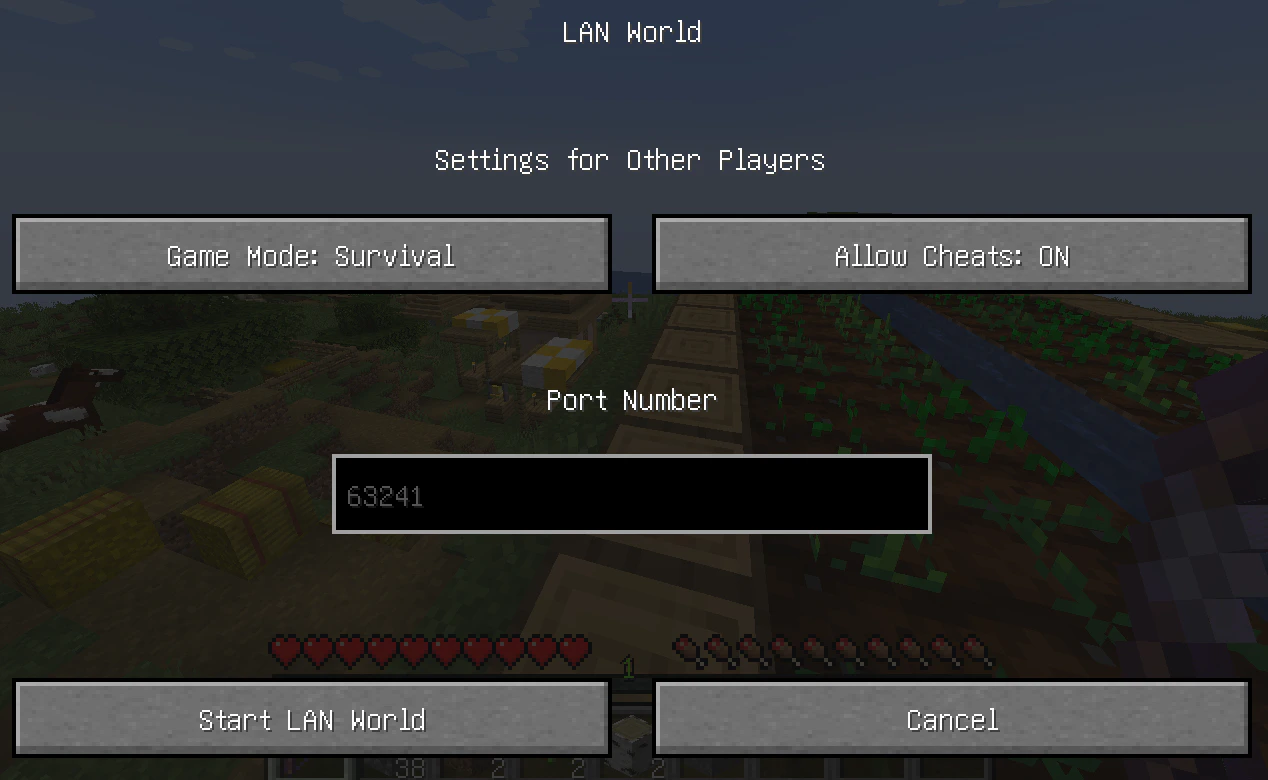
- Hint: now is the time to toggle
Client Setup
Perform these steps in the Elefant application:-
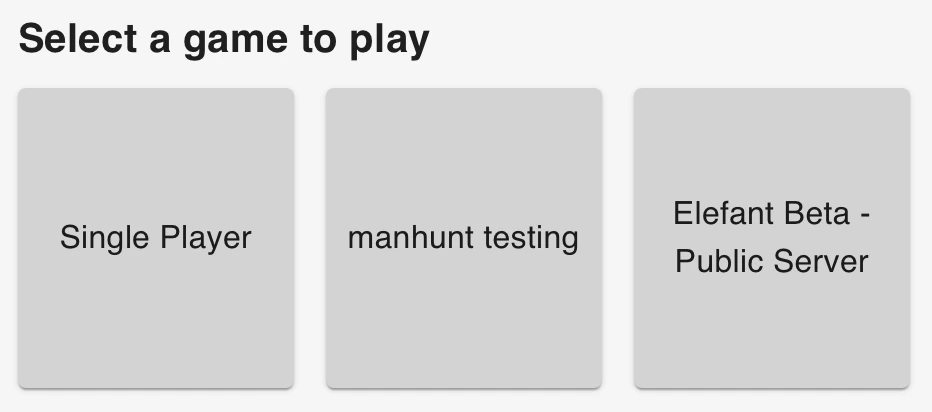
Select
Single Playerin the Home screen.- Note, your other server options might differ from those shown in the image below, but ignore that.
- Note, your other server options might differ from those shown in the image below, but ignore that.
-
Select port. Type the port you noted earlier - in this case,
63241- and you’re good to go!- If you opened a different port in Step 3 of the Minecraft Server Setup, then enter that instead!
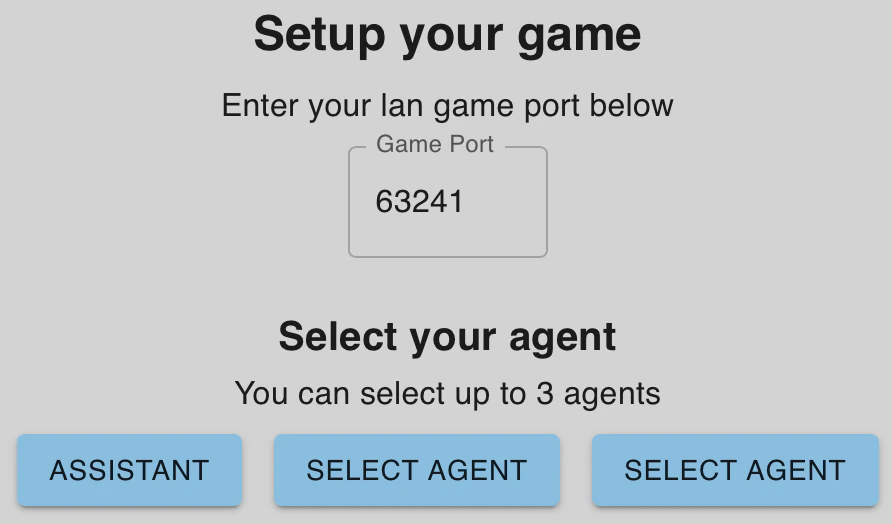
- If you opened a different port in Step 3 of the Minecraft Server Setup, then enter that instead!